Download
Get PetPal onto your 3DS.
PetPal is homebrew, so you'll need a 3DS with the Homebrew Launcher. Build the app, drop it on your SD card, and you're passing in minutes.
Compatibility
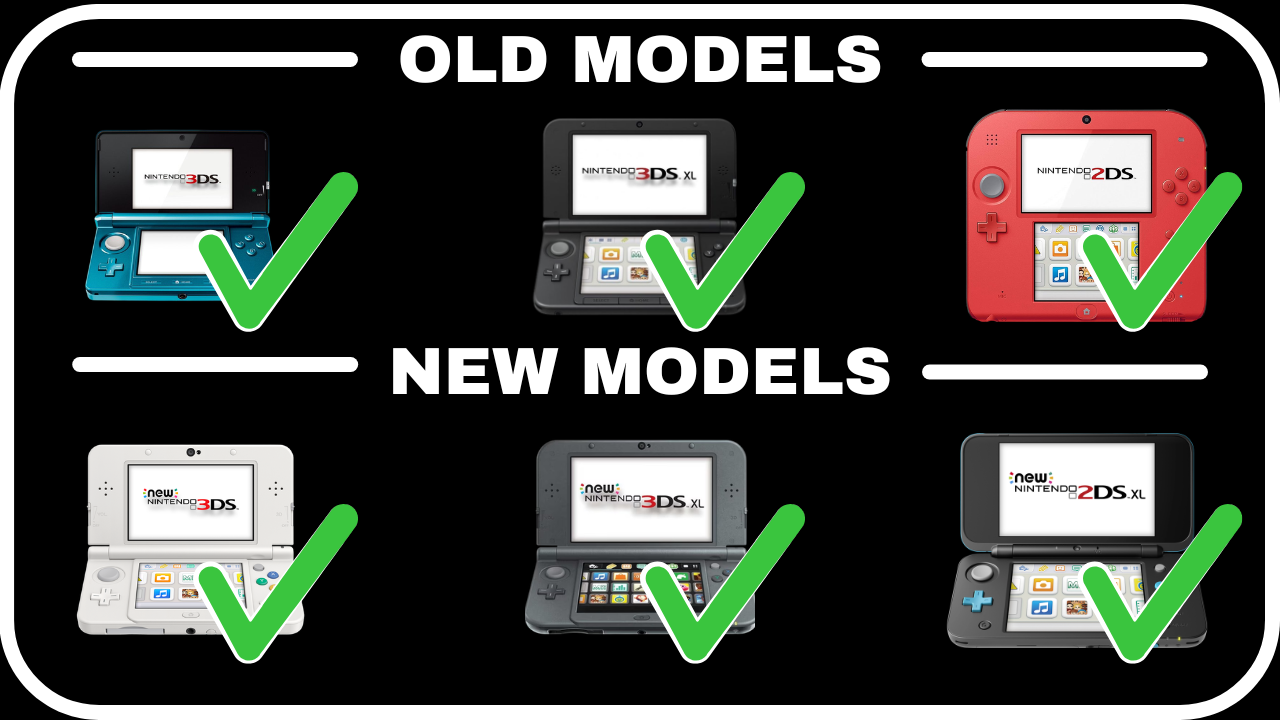
Works on every 3DS & 2DS
Old or New, regular or XL — if it runs homebrew, it runs PetPal. Targets Old 3DS, New 3DS, and New 3DS XL.
Quick start
Build the 3DS app
You'll need devkitPro with the 3ds-dev group installed (libctru, citro2d, citro3d, and tools).
pacman -S 3ds-dev
# build — produces PetPal.3dsx (+ .smdh)
make
Copy PetPal.3dsx to sdmc:/3ds/ and launch it from the Homebrew Launcher — or run it over the network with 3dslink PetPal.3dsx.
Where your save lives
- save.bin
- your pet, friends, and journal
- save.bak
- a rotating backup, written automatically
- backups/
- portable exports you can copy off-device
All of it sits under sdmc:/3ds/PetPal/, created for you on first launch.
Also on Android
Get the companion app
Prefer your phone? The PetPal Android app raises the same pet and syncs with your 3DS. It's on the way to Google Play — join the Discord to hear the moment it lands.
Requires Android with an internet connection. Link it to your 3DS from Settings so both devices share one pet.
For tinkerers
Run the model tests on your PC
The gameplay, save, and passing logic is decoupled from the device, so the whole model layer compiles and runs on a desktop — no 3DS required.
make -C tests run
Passing works worldwide
There's nothing extra to install. PetPal can't use the console's built-in StreetPass, so it passes over the internet through its own relay — just keep the 3DS online and you'll meet players anywhere.
How passing works ↗Join the PetPal community
Hang out with the team and other players, get help, show off your pets, and be first to hear about new codes and releases.